Set organization-wide availability.
The top-level toggle lets administrators decide whether an AI capability is available across the organization. Turning it off prevents local enablement, keeping individual settings within that decision.
I redesigned Contact Center AI configuration to help administrators adopt features, govern their availability, and apply consistent settings across all queues and agents. I diagnosed the repeated setup in the existing experience, pitched an object-first model, and designed the global and local controls.
Problem diagnosis, stakeholder pitch, interaction design & specifications
Feature adoption, AI governance & configuration at scale
Shipped experience, shown in a live product recording
The configuration experience started with the AI feature. Administrators then selected the agents or queues it should apply to—and repeated those selections for the next feature.
We wanted to encourage adoption of AI features, but the configuration model made each additional capability more work to set up. I traced that friction back to the structure: there was no single place to review an agent’s or queue’s AI configuration, or understand how it related to the organization’s settings. Repeated setup also made it harder to maintain consistency across queues and agents.
I also called out interaction problems in the existing flow: configuration actions that required a full page load, an acceptance step before setup, and global and local toggles that were disconnected. These were the concrete problems I brought into the stakeholder discussion.
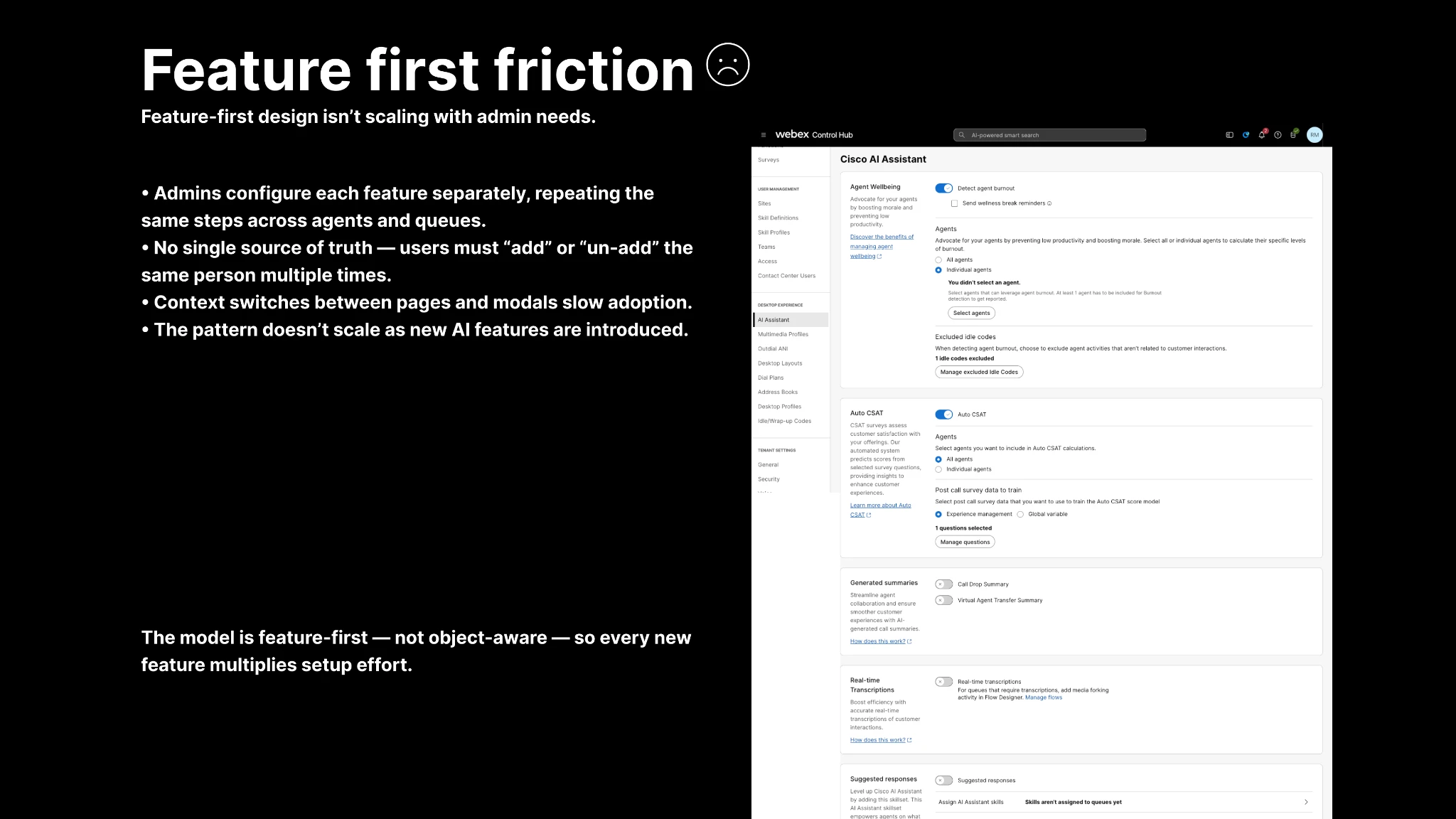
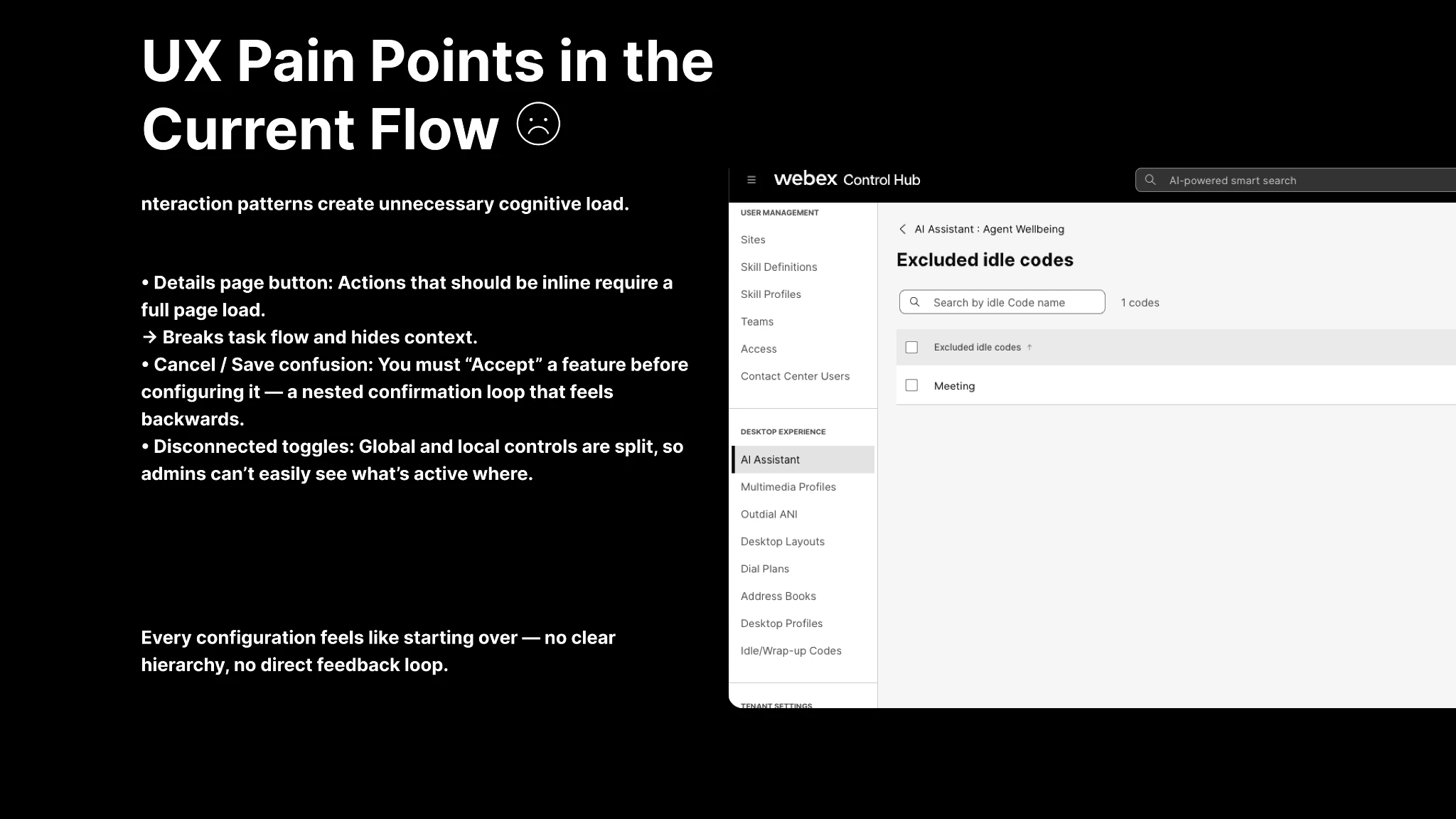
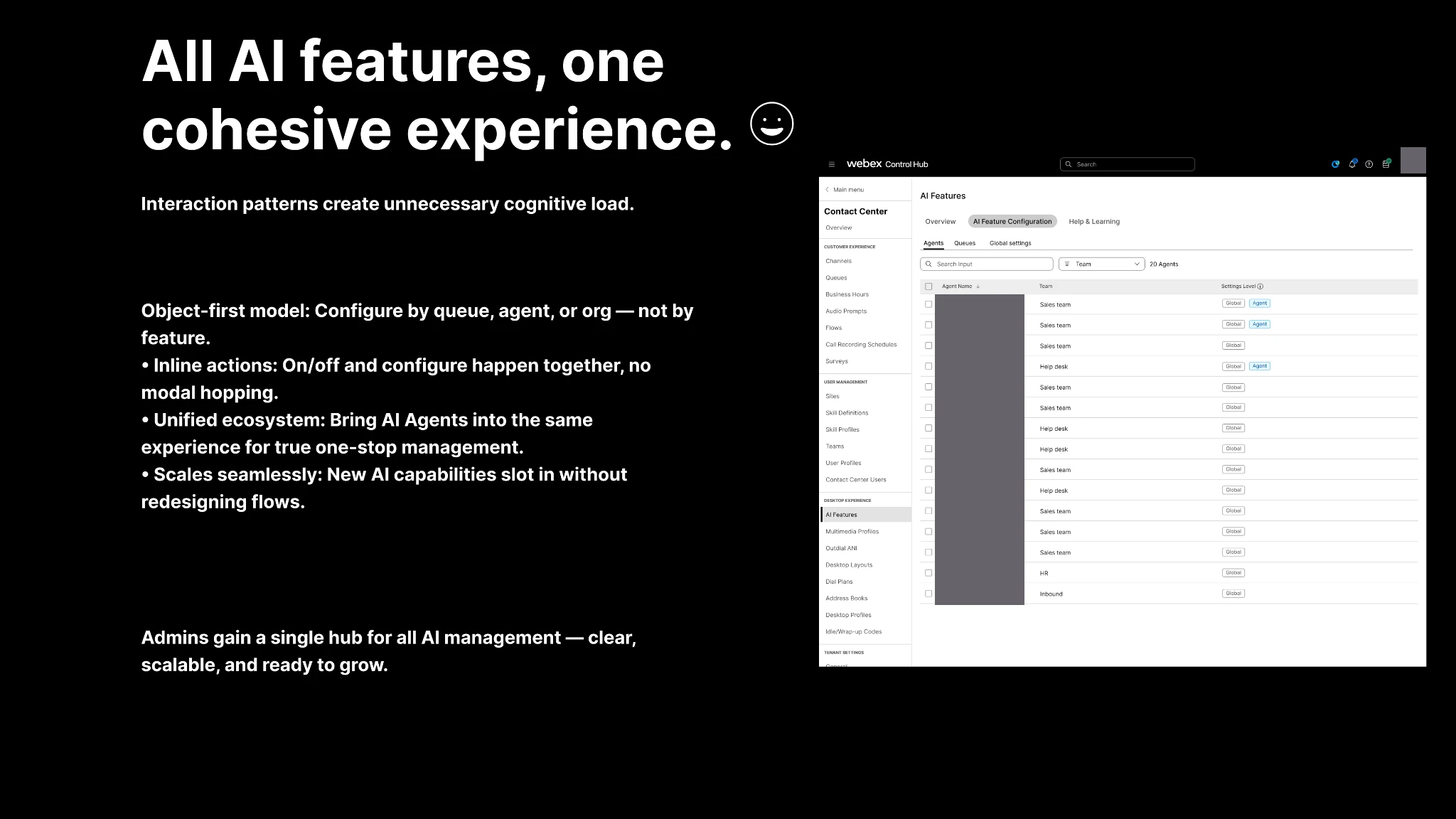
I pitched an object-first approach to stakeholders: start with the agent, queue, or organization, then configure the relevant AI capabilities together. The goal was to remove setup friction that could get in the way of feature adoption, while giving administrators central control over availability and consistent configuration across all queues and agents.
I kept the implementation proposal focused on AI Configuration. The pitch deferred bulk editing of selected agents or queues, kept the overview to a cross-launch, retained Auto CSAT at agent level for the initial scope, and reused existing help articles. Applying shared settings to all queues or agents remained part of the global configuration model. Those were scope choices in the proposal, rather than a claim that every part of the vision shipped unchanged.
The intended result was a more manageable path from discovering an AI capability to configuring it across the organization. Feature adoption, configuration effort, and support needs were goals for follow-up measurement.
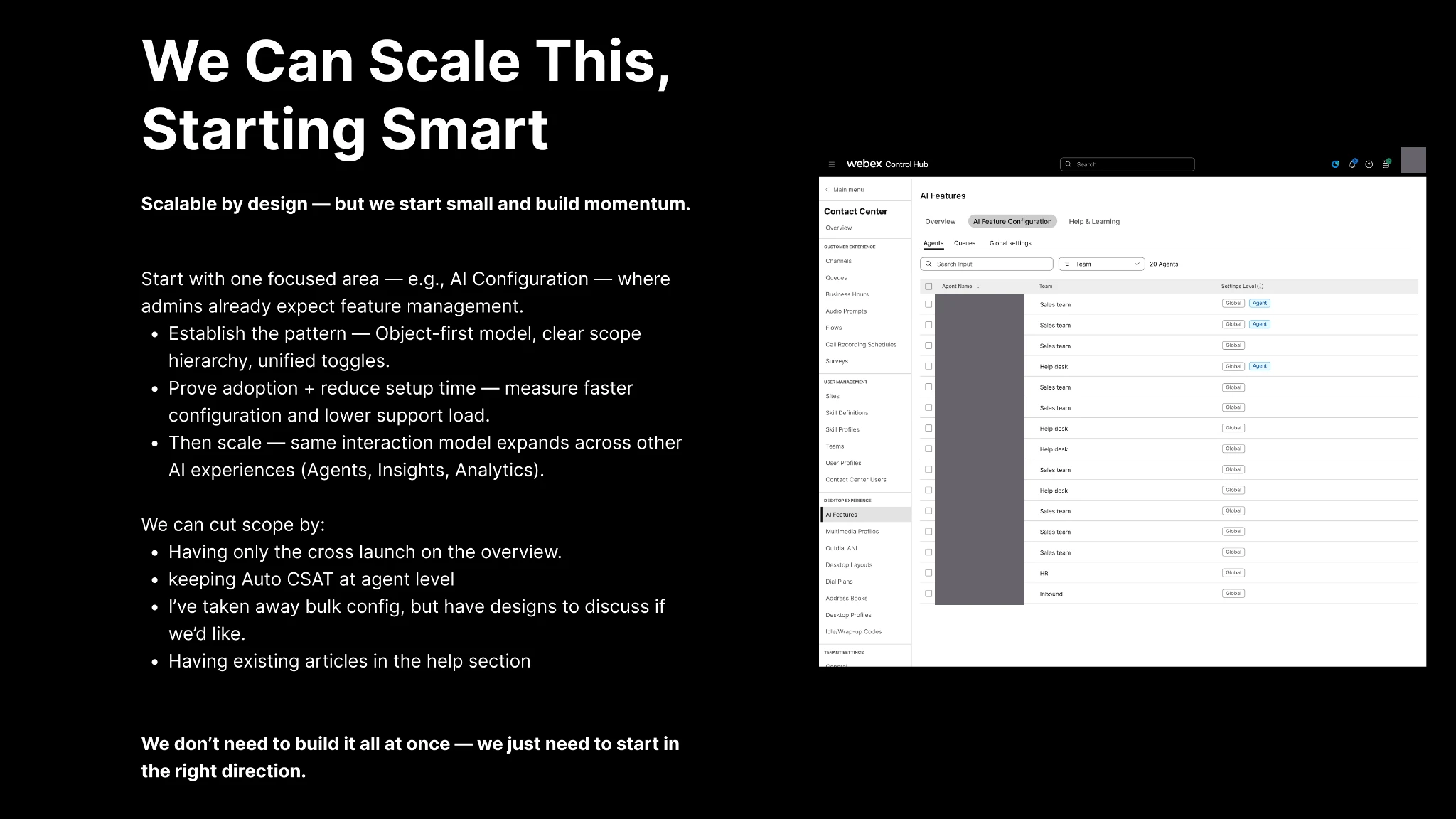

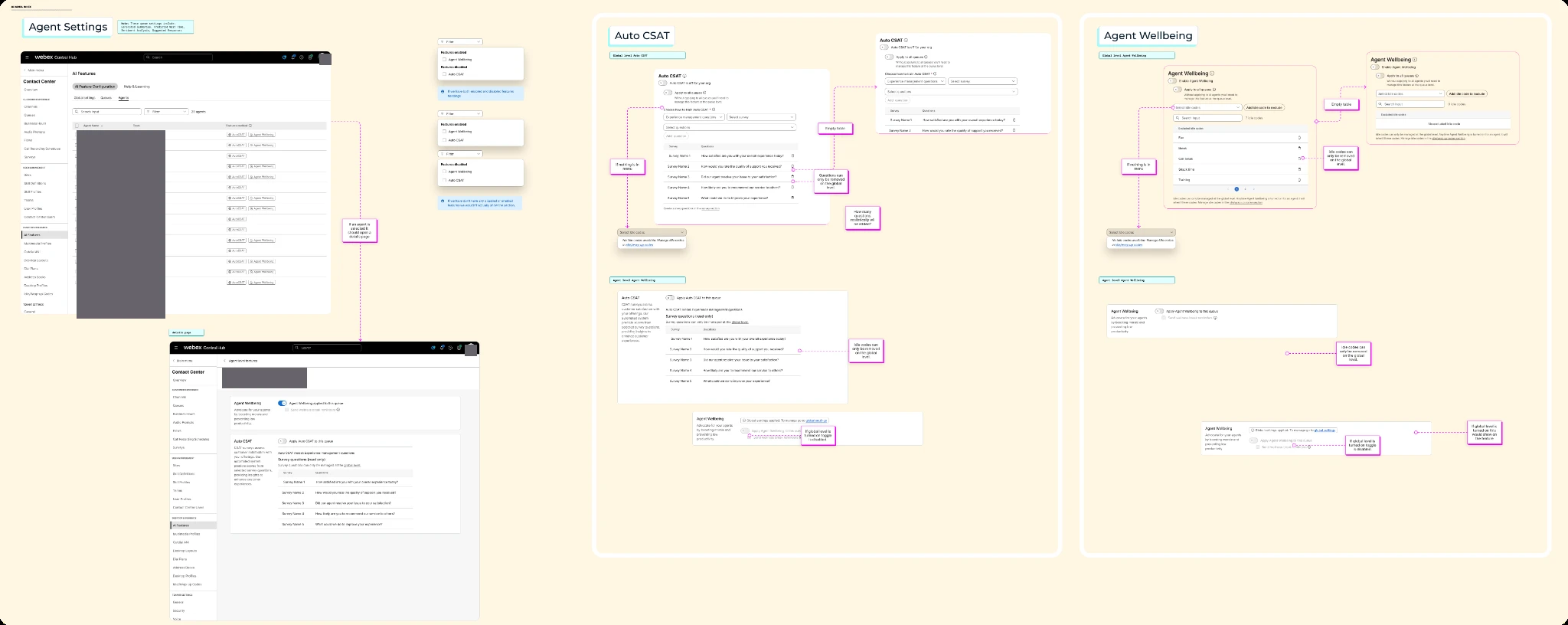
I brought global settings together with agent and queue views, so administrators could establish a consistent organization-wide setup and inspect individual configurations in the same area.
Global controls let administrators configure capabilities across all queues or agents at once. The agent and queue lists then lead into detail pages containing the relevant capabilities, with the governing scope visible. This supports organization-wide rollout alongside individual review and configuration.
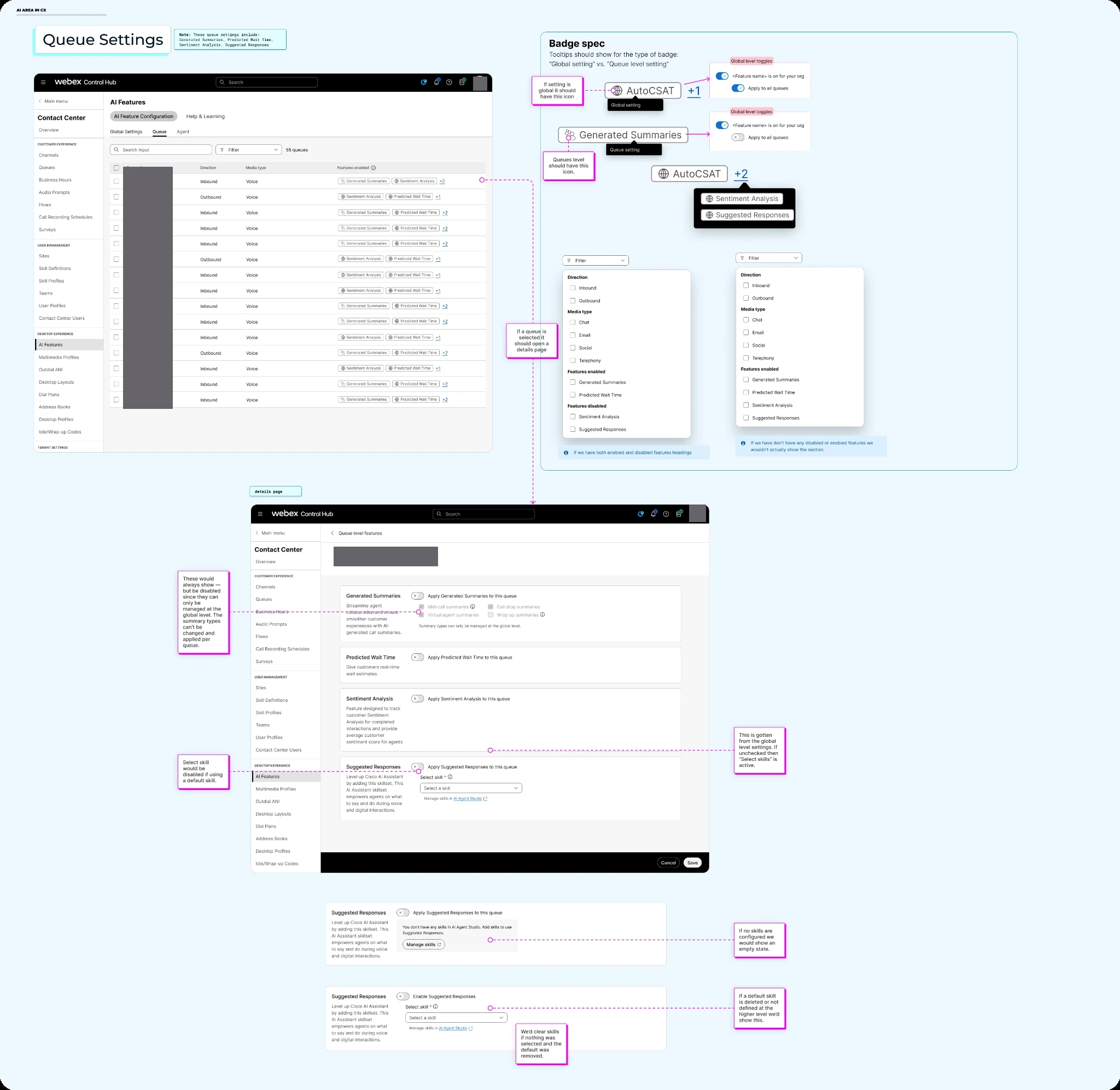
The specifications also make the model visible in the lists. Feature badges distinguish global from local settings; filters help administrators find the objects they need. New capabilities can join the same configuration pattern instead of requiring a separate setup journey.
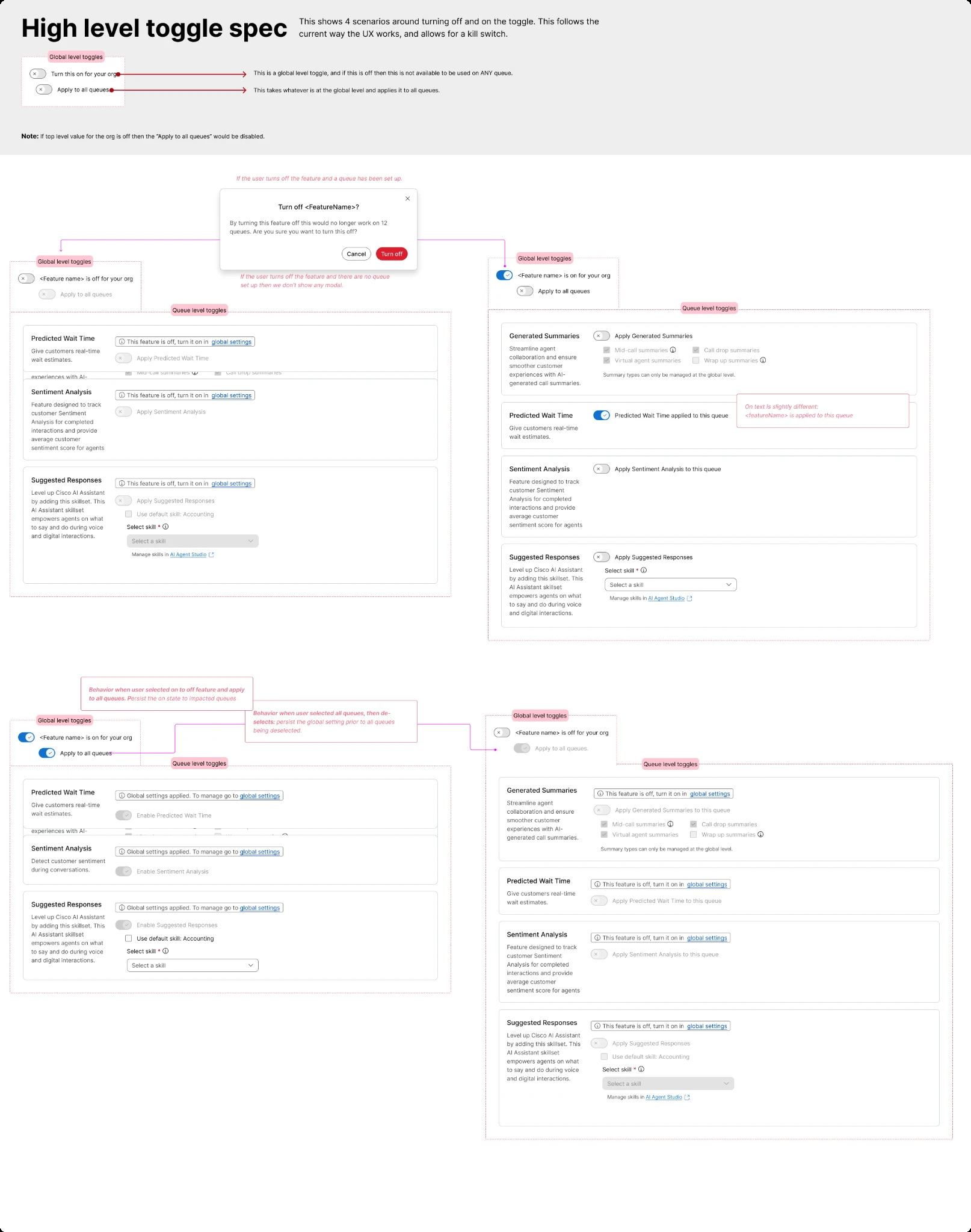
The high-level controls let administrators govern AI centrally, keep settings consistent, and configure all queues or agents at once. I defined how those organization-wide decisions relate to local configuration, so admins could apply a shared setup without repeating the work for each queue or agent.
The top-level toggle lets administrators decide whether an AI capability is available across the organization. Turning it off prevents local enablement, keeping individual settings within that decision.
“Apply to all queues” or “Apply to all agents” applies the shared configuration across the relevant group. Admins can manage that setup centrally instead of configuring each queue or agent separately.
Local controls show when settings are managed globally. Where individual configuration is available, admins can tailor the setup while staying within the organization’s feature availability.
The specification includes confirmation before turning off a feature already configured on queues. Disabled states link back to global settings so the administrator can understand the restriction and reach the controlling scope.
Generated summary types remain managed at global level. At queue level, those options remain visible but disabled, preserving the context without implying they can be overridden.
I specified the behavior beyond the main path: badges that explain setting scope, filters for enabled and disabled features, and inline configuration within the selected queue’s detail view.
For Suggested Responses, the design accounts for missing skills, a default skill, and a skill that has been deleted. These states help the administrator understand why a feature needs more configuration before it can be useful.
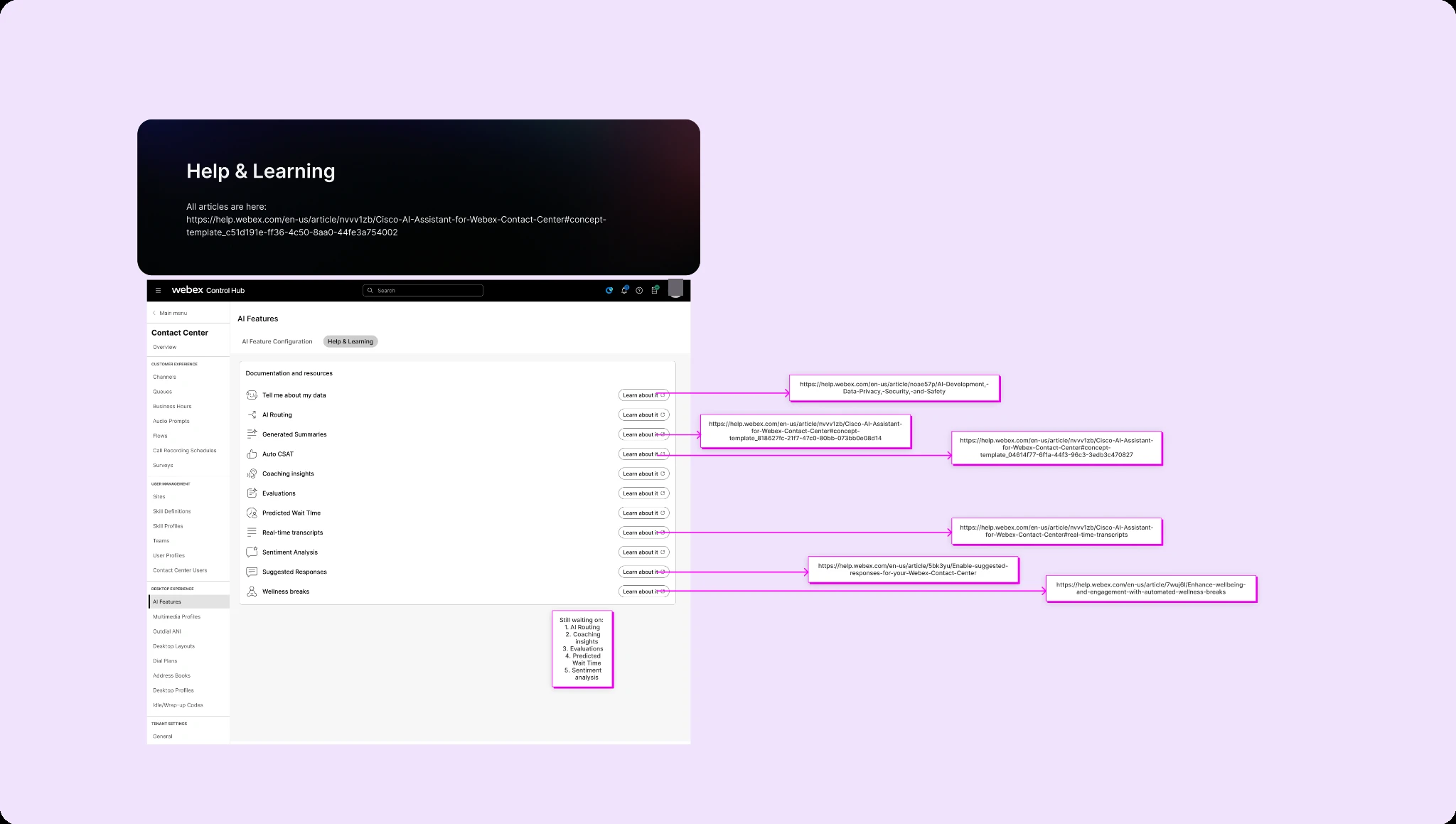
I also designed Help & Learning to support feature discovery and adoption alongside configuration. It collects existing feature documentation in the same AI area, including information about data, privacy, security, and safety, so administrators can understand a capability before deciding how broadly to enable it.
The production recording shows the resulting AI Features area in Webex Contact Center: Global, Queue, and Agent configuration, plus Help & Learning.
It shows organization-wide feature availability, shared configuration through “Apply to all queues” and “Apply to all agents,” and local views that explain inherited or unavailable settings. Help & Learning connects administrators to the documentation supporting those configuration decisions.
The recording is evidence of the live experience. The pitch slides and annotated specifications document my design work and intent; they are not presented as production screenshots. The production feature set also differs from the initial pitch—for example, the recording shows Auto CSAT in queue-level configuration.
My contribution was identifying the configuration problem, making the stakeholder case, and designing the model and interaction specifications. The live product reflects the broader team’s implementation. The recording demonstrates the experience; usage context and the limits of the available measurement are described below.
Recent usage figures show roughly 20 users visiting the AI configuration area per day. Access to these features requires the AI SKU, so this is a licensed audience within Contact Center.
That eligibility requirement matters when interpreting traffic. Daily visits alone do not establish how many eligible administrators are using the area, how broadly features are enabled, or whether feature adoption has increased.
I do not have a verified pre-redesign baseline, so I cannot quantify a before-and-after increase or attribute the current traffic to the redesign. A stronger assessment would compare usage within the AI-licensed audience and track feature enablement and configuration completion over time.
Making an AI feature available is only the beginning. Administrators also need to understand it, decide where it belongs, and configure it across their organization. That work needs to be part of the adoption experience.
The global controls served both purposes: administrators could govern feature availability and apply consistent settings across all queues or agents without repeating the setup. Making scope visible helped connect those organization-wide decisions to local configuration.
Access depends on the AI SKU, so traffic needs to be understood within the eligible audience. For future work, I would establish a comparable baseline before release and track feature enablement and configuration completion alongside visits.
Encouraging adoption meant addressing the work required to configure AI. I designed a model that lets administrators make organization-wide decisions, apply consistent settings across all queues and agents, and understand where local configuration fits as more capabilities are introduced.
Back to selected work ↗