75% shorter onboarding
I led an onboarding revamp that reduced average onboarding time from 40 minutes to 10 minutes—30 minutes saved. We assessed the improvement using analytics of customers’ end-to-end onboarding completion time.
I oversaw Partner Hub from May 2020 to July 2023, leading a small design team working to make Partner Hub useful for managing customer relationships, beyond launching Control Hub. The work included customer search, customer insights, and onboarding.
Design leadership / customer-search design
May 2020–July 2023
40 10 minutes on average
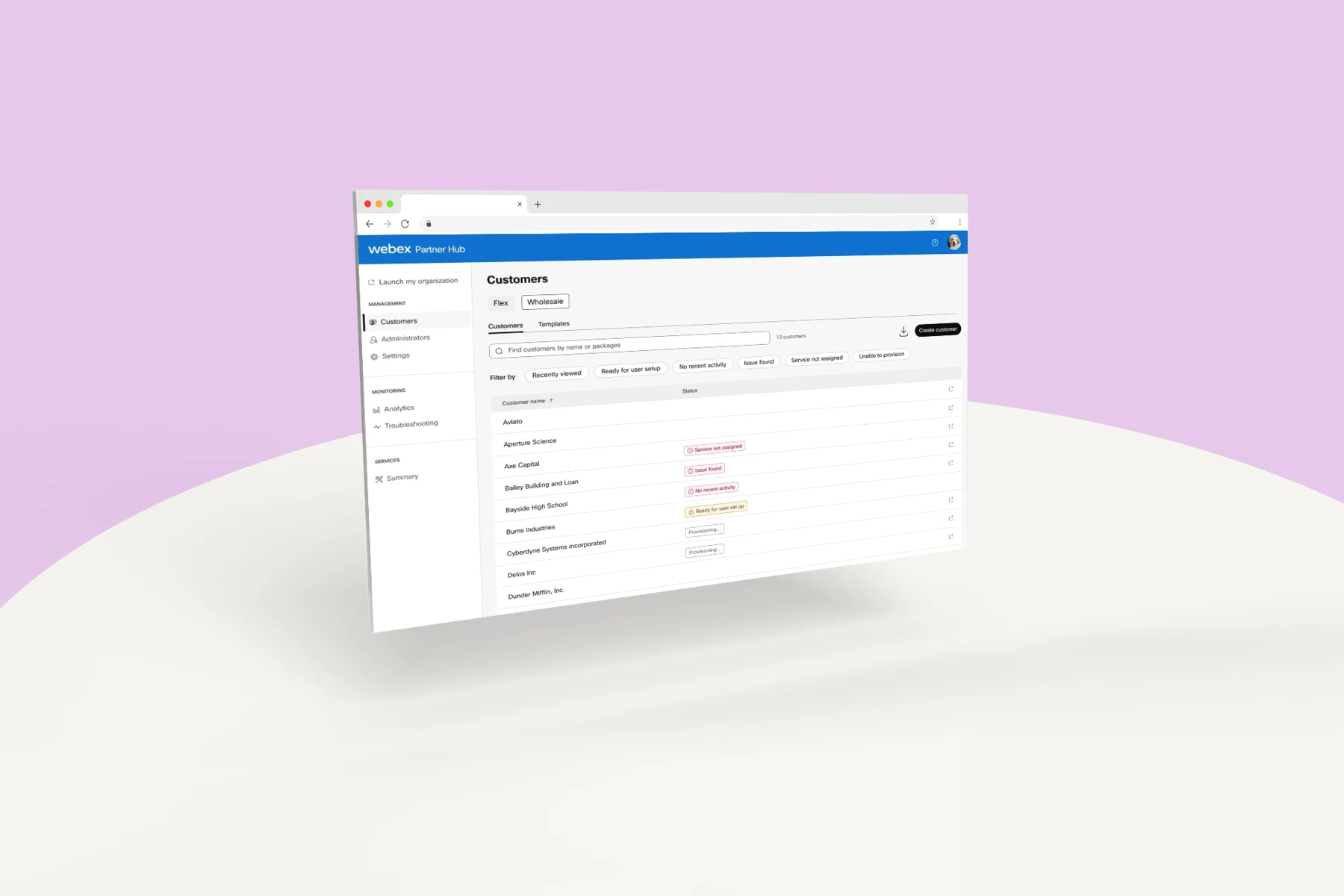
The old experience acted mainly as a launch pad. Partners often went straight to Control Hub to work with their customers.
Our goal was to make Partner Hub a destination where partners could find customers and understand what needed attention. The visual experience also needed updating, but the broader problem was the limited value available before leaving the platform.
Partner relationships are central to Cisco’s business: Cisco reported that around 90% of revenue flows through partners. That is the business context for this work.
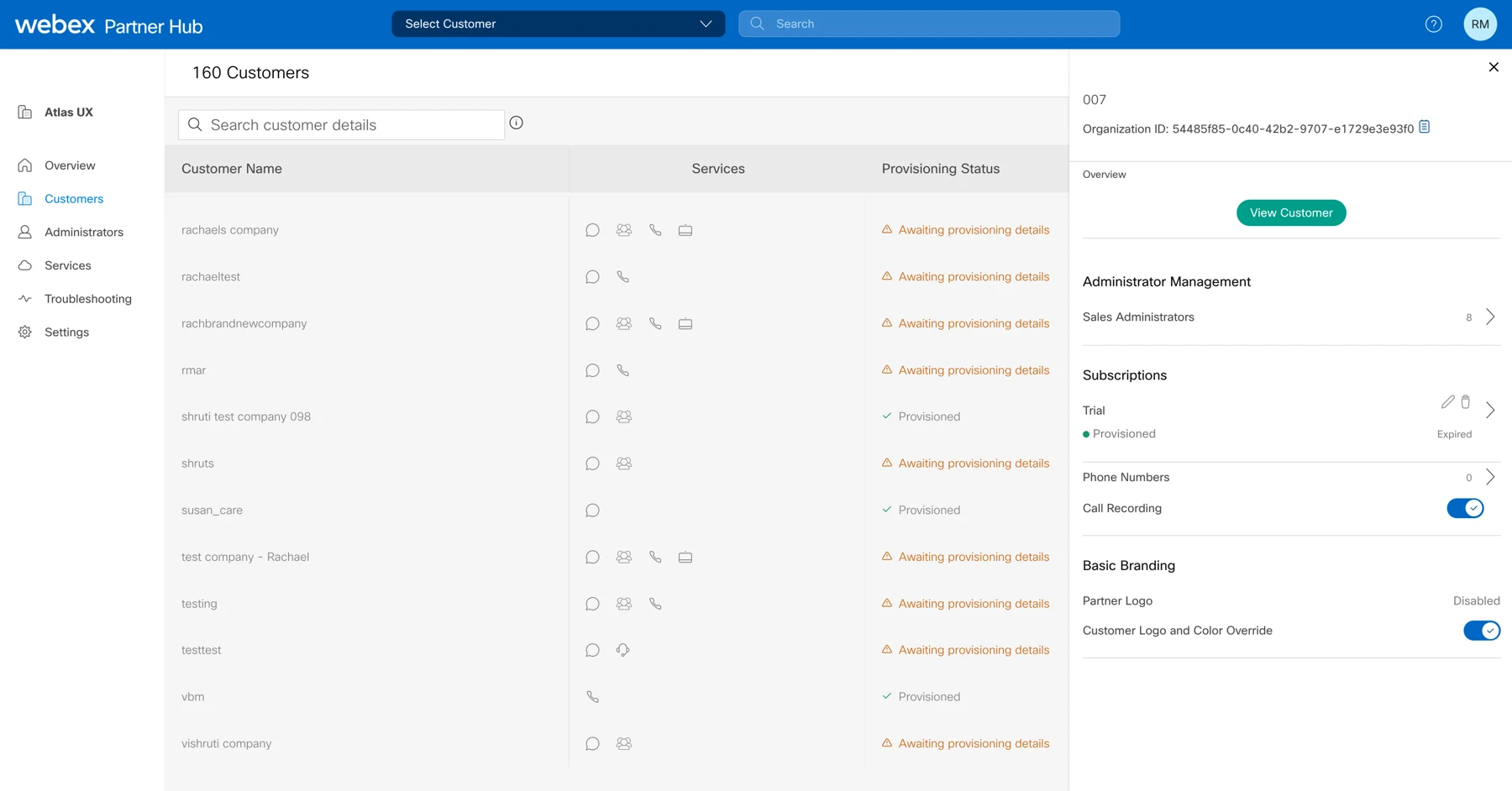
We interviewed partners to understand what worked in the existing experience and where it fell short. Those conversations informed the redesign of customer discovery and access to customer information.
I led the small design team and designed the initial customer-list search redesign. The wider work covered customer insights and onboarding experiences.
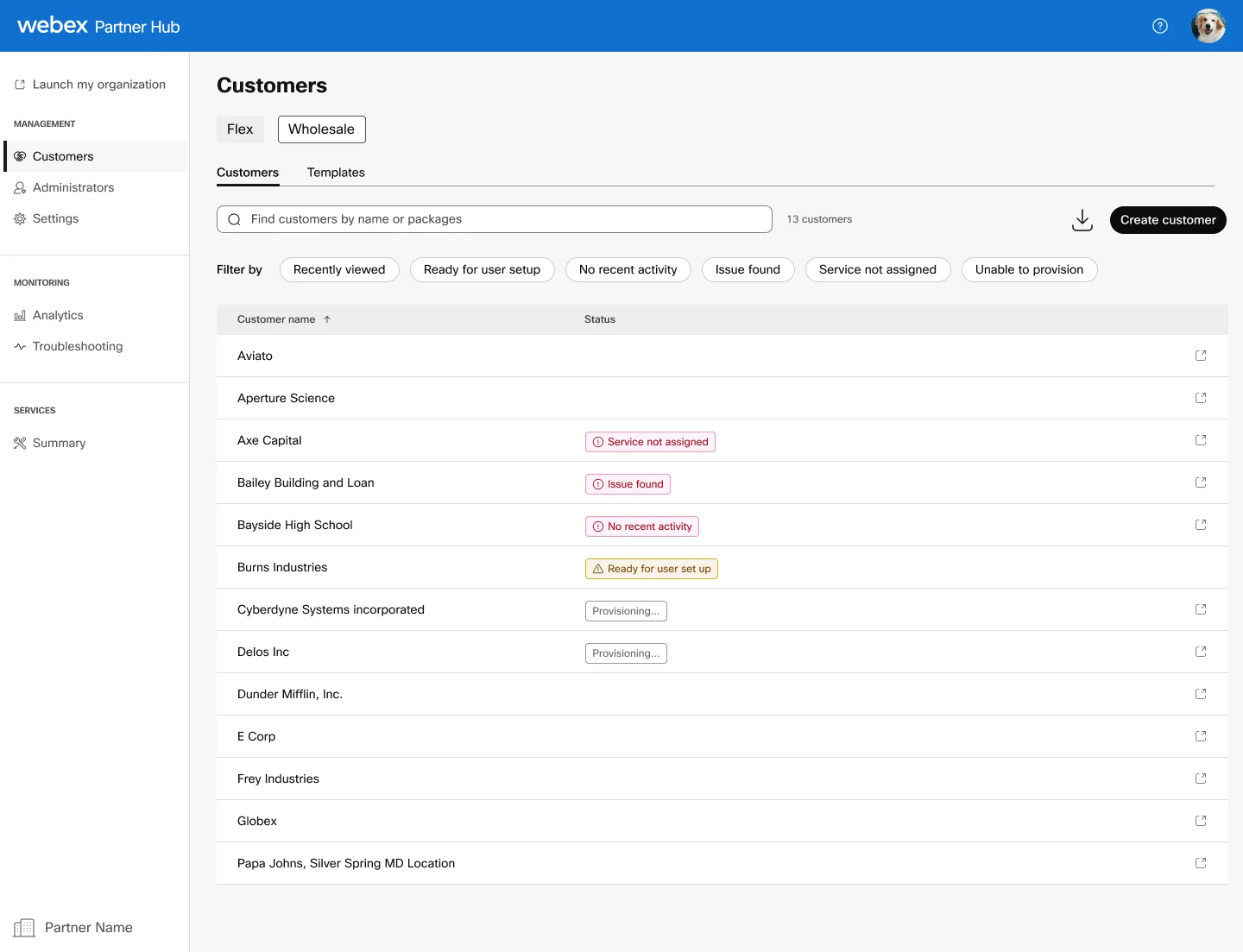
We removed the outdated overview page and brought partners directly to customer search. I redesigned the customer list to support more specific, customizable discovery rather than a high-level search with little detail.
The experience also lets partners tag important customers to help manage their relationships. The supplied design shows status information and filters for identifying customers who need attention.
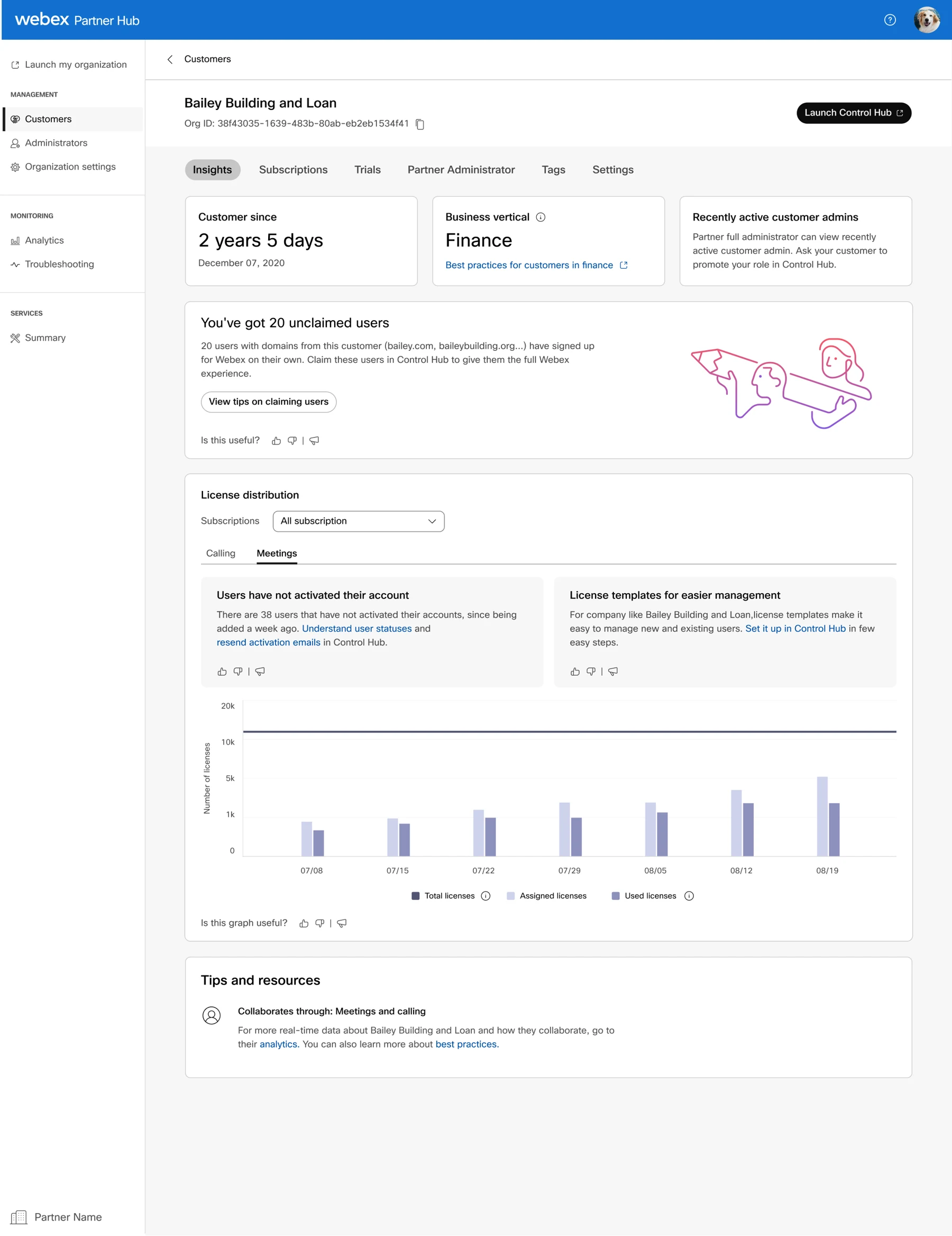
Customer highlights had been confined to a small right-hand panel. We expanded them into a full-page experience so partners could review key customer information at a glance.
The design brings together customer context, license information, and guidance connected to the customer’s situation.
I led an onboarding revamp that reduced average onboarding time from 40 minutes to 10 minutes—30 minutes saved. We assessed the improvement using analytics of customers’ end-to-end onboarding completion time.
My original project write-up reported increased time spent in Partner Hub after the redesign, alongside positive partner feedback.
The onboarding result measures task efficiency. Time spent in the platform is an engagement signal; it does not by itself establish that partners completed their work more successfully.
The onboarding flow is a separate part of this work from the customer-search and insights screens shown here.