Protect the couple
Do not treat an unconfirmed request like a completed transaction. Make status and next steps visible.
As co-founder and Chief Product Officer, I designed and implemented Plan Zinnia’s booking payment workflow. The key decision was to authorize payment when a couple requests a booking, capture it after the vendor confirms, and release the vendor’s funds after the event.
Co-Founder & Chief Product Officer
Product design + AI-assisted development
Stripe Elements, PaymentIntents,
Connect, subscriptions & Transfers
Plan Zinnia
Wedding marketplace
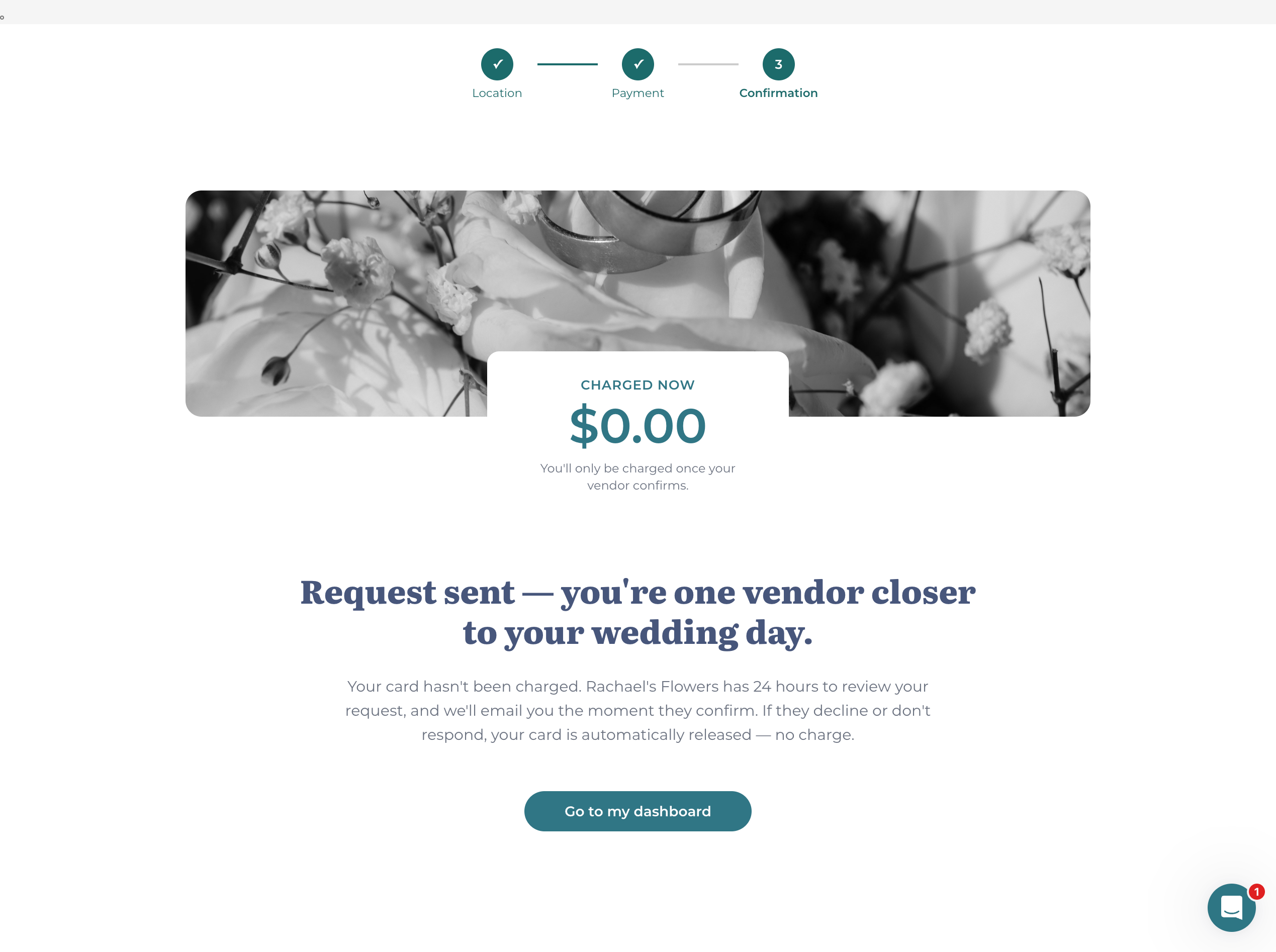
Couples may be paying thousands of dollars to a small business they have never worked with. Vendors need confidence that a booking is real—and that they will actually get paid.
A couple could select a service and request a date, but the vendor still needed to confirm availability and accept the work. Charging immediately would move money before both sides had agreed to the booking.
I needed to design the agreement between those steps: what the couple was requesting, what the vendor was accepting, when payment would be captured, and what each person should expect if the booking did not go ahead.
Do not treat an unconfirmed request like a completed transaction. Make status and next steps visible.
Give the business a clear opportunity to accept or decline before the payment lifecycle advances.
The interface, booking record, Stripe state, notifications, and payout state all need to tell the same story.
I chose a pending-booking model with separate authorization and capture. Plan Zinnia authorizes payment when the couple submits a request, then gives the vendor a defined window to review it. This keeps the request moving without treating it as an accepted booking.
If the vendor confirms, the payment is captured and the booking moves forward. If they decline—or the request expires—the authorization is canceled rather than becoming a completed charge.
A submitted request authorizes payment. Vendor confirmation triggers capture. Declined or expired requests cancel the authorization.
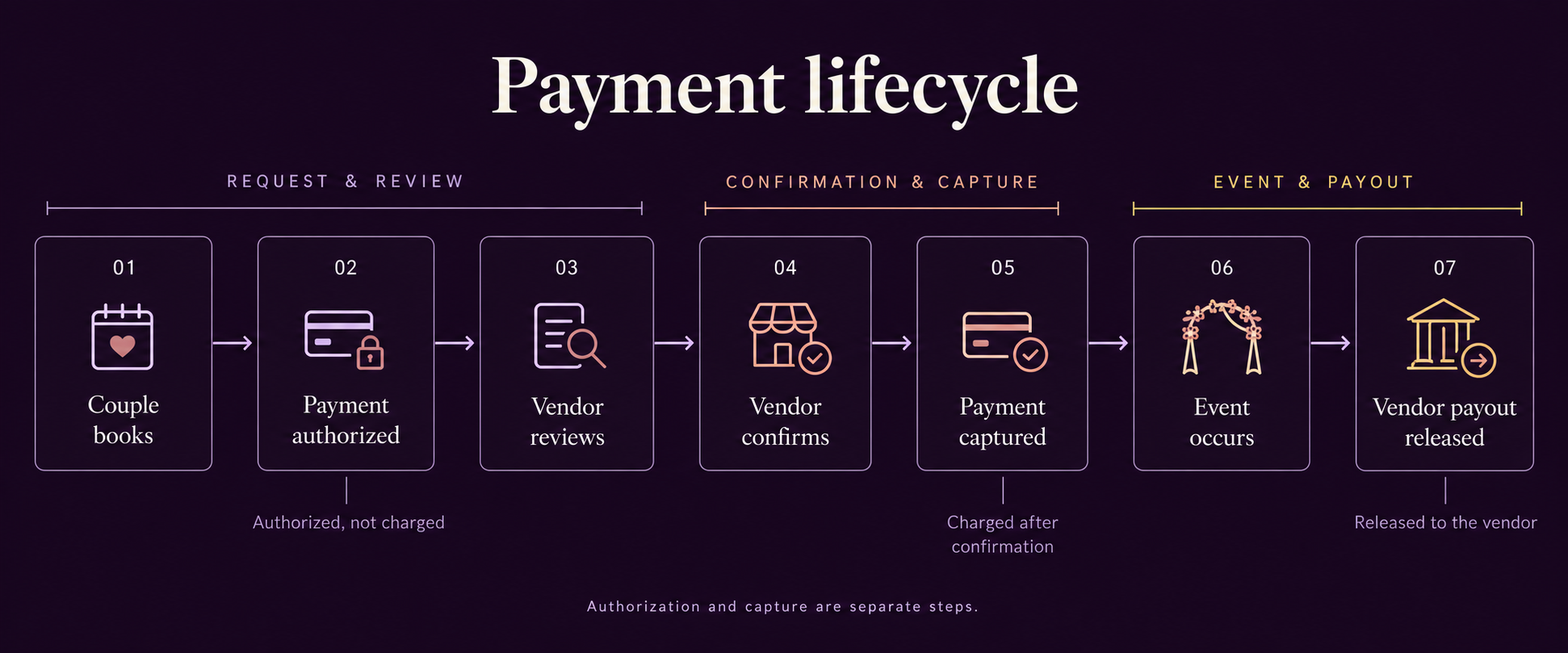
I designed the flow to answer practical questions: Is this a request or a confirmed booking? Has payment been captured? Who needs to act next?
The couple needs to know whether a request is pending, confirmed, declined, expired, or canceled. The vendor needs to know what action is required, how long they have, and what happens to the payment when they respond.
Show the service, event details, fee breakdown, and payment information before the couple commits.
Set expectations: the request exists, payment is authorized, and the vendor still needs to respond.
Make confirm and decline consequential, understandable actions—not generic status changes.
Capture payment, establish the booking relationship, and open the next phase of communication.
Keep booking, messaging, operational status, and financial status connected through completion.
Release vendor funds after the event according to the marketplace payout rules.
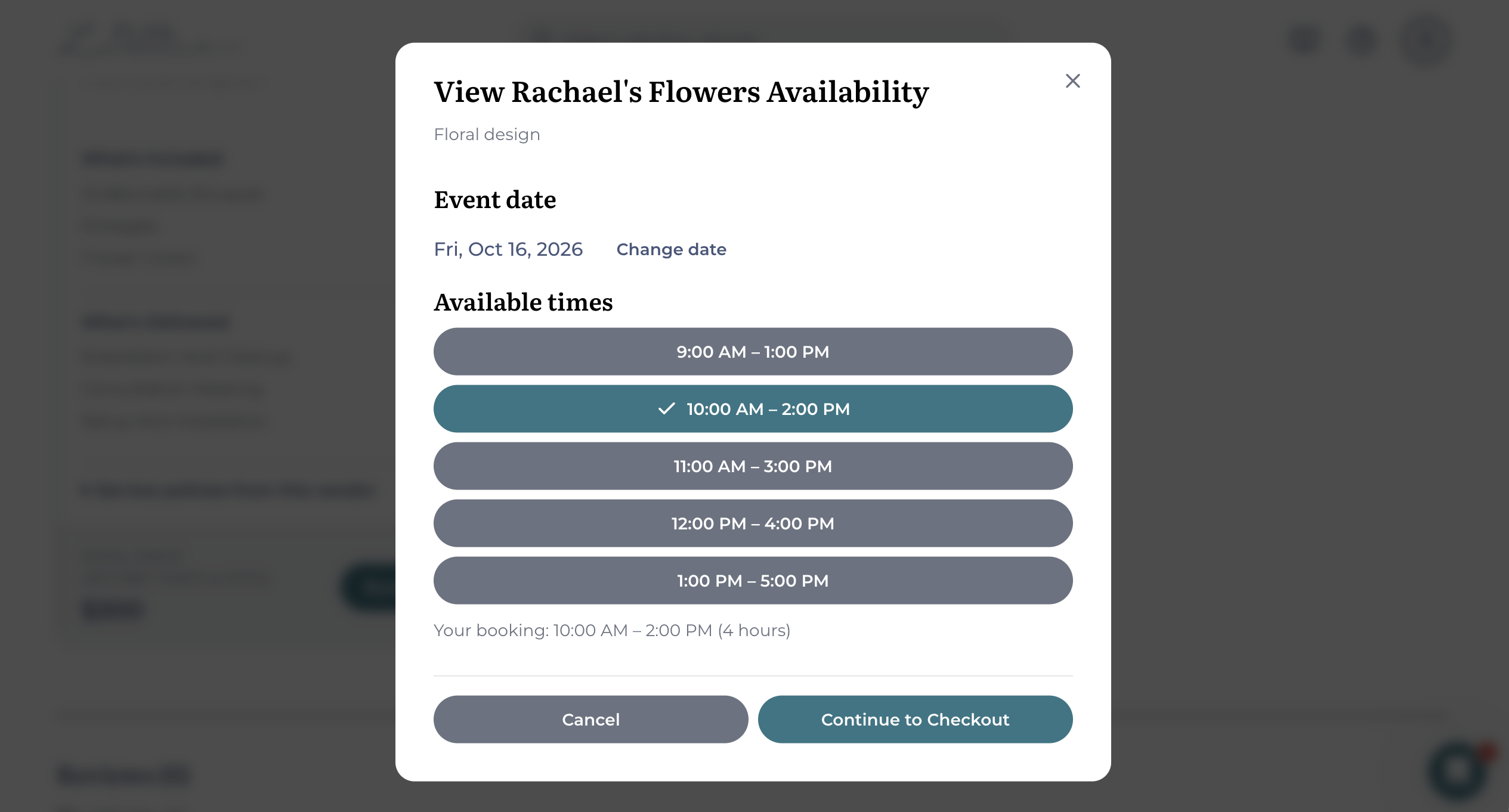
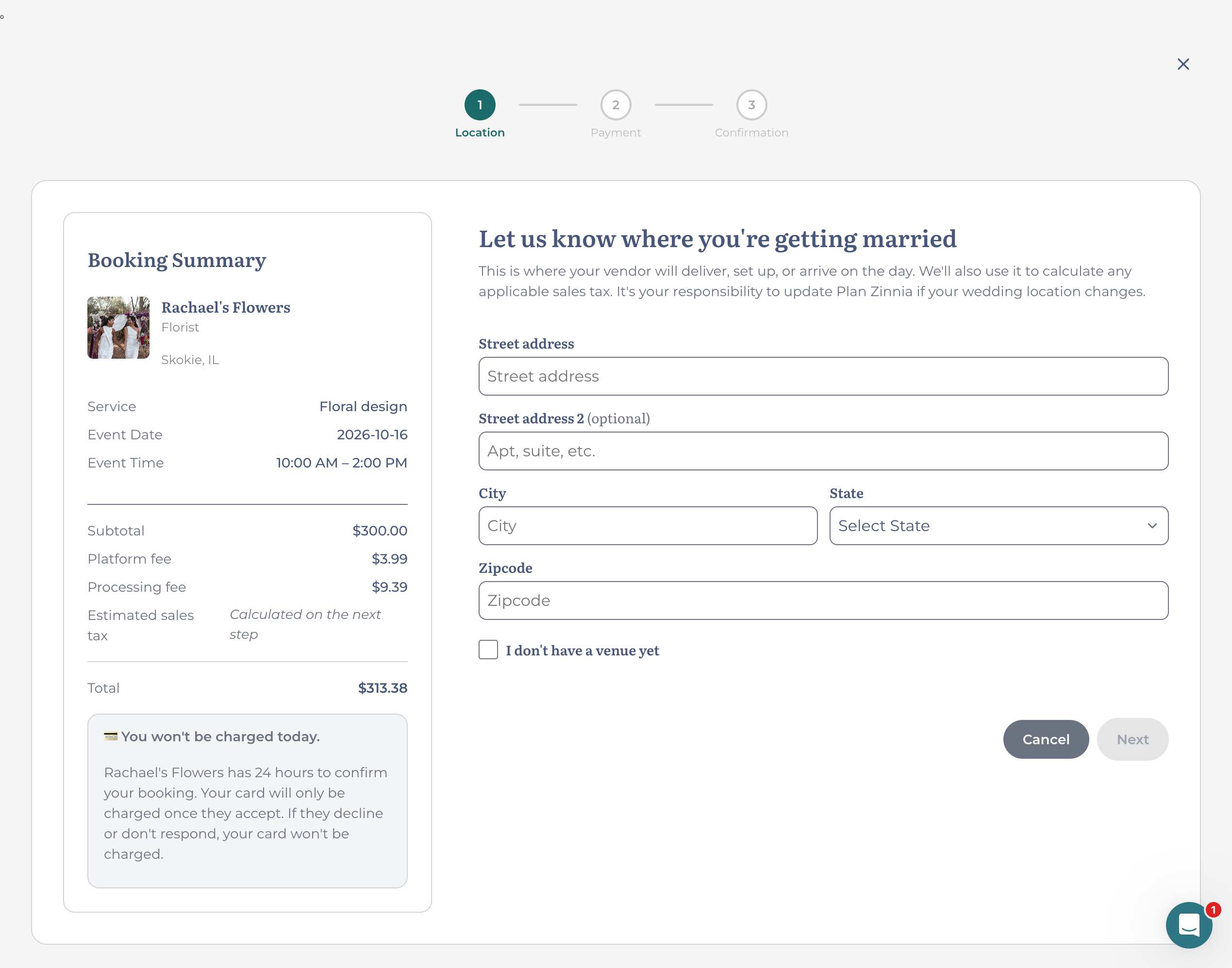
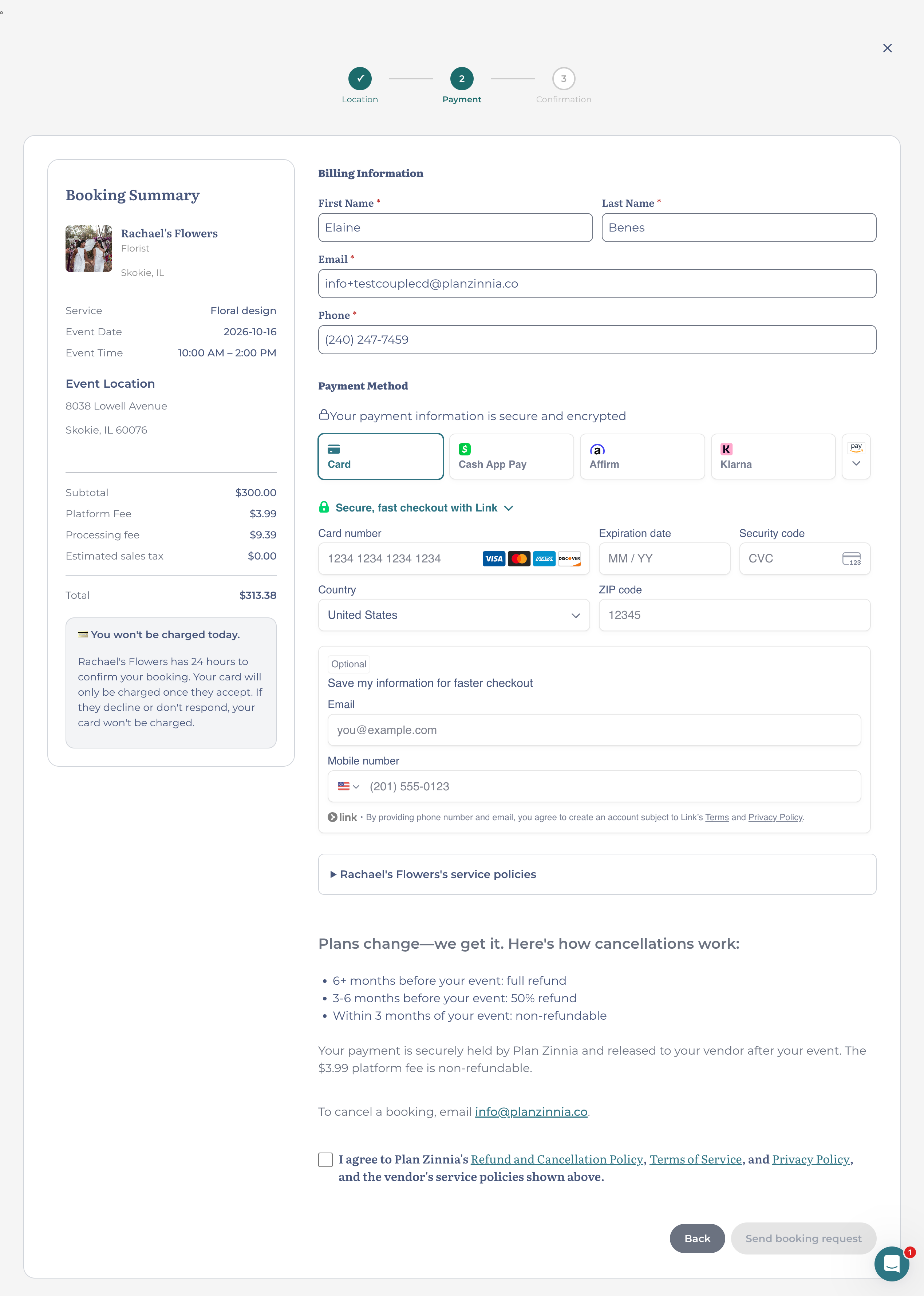
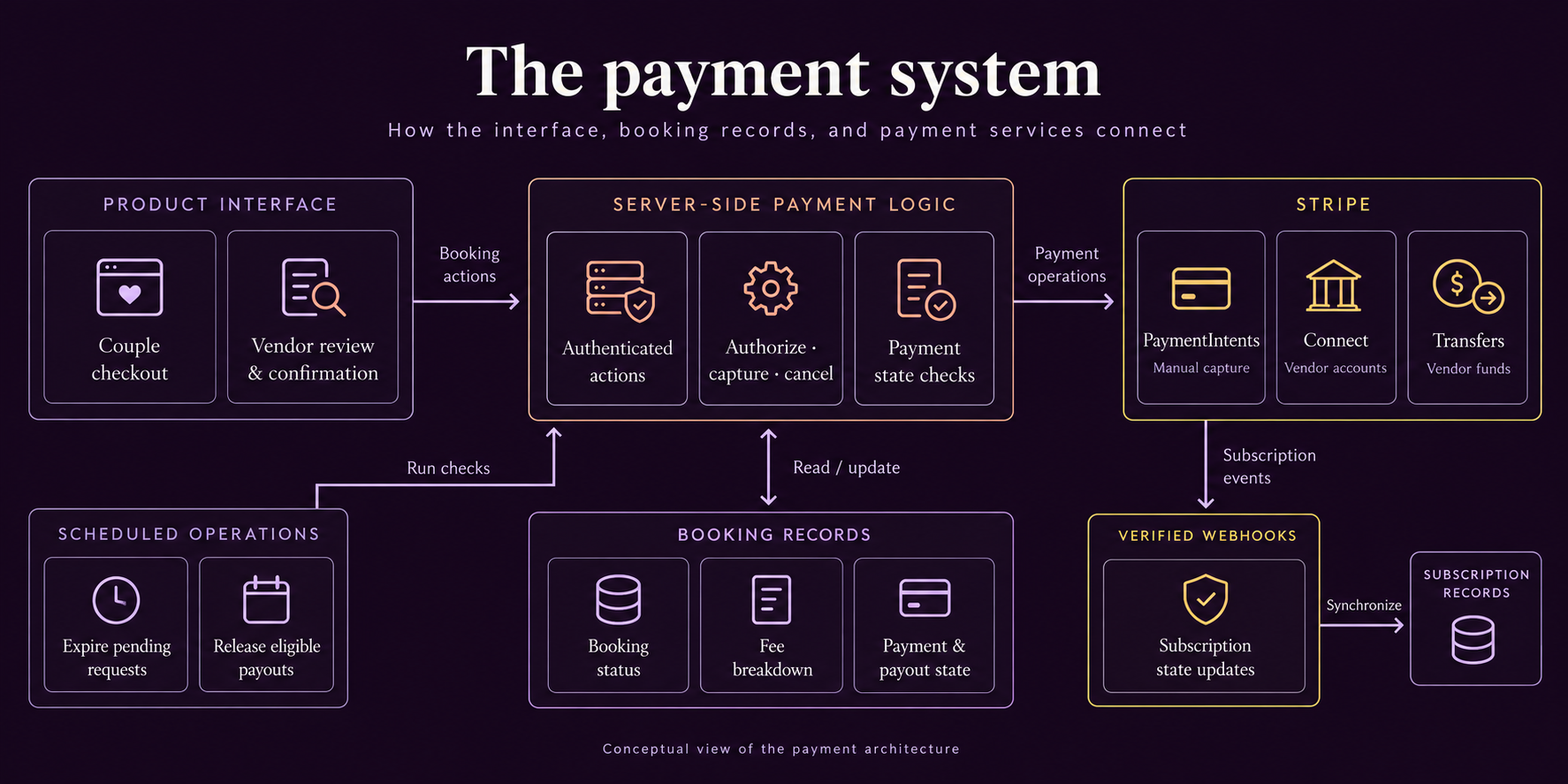
I implemented the booking workflow using Stripe PaymentIntents with manual capture, Connect accounts, and Transfers. The booking record, payment state, notifications, and scheduled operations needed to stay aligned as a request moved through review, confirmation, and payout.
Booking records retain cent-denominated fee breakdowns and payment state so the product can explain what happened without relying on Stripe as the only source of context. Sensitive payment operations happen server-side and identify the current vendor from authenticated context rather than trusting client-provided identity.
When a vendor selects “Confirm booking,” the product attempts to capture payment. Confirmation must reflect the result of that operation. If capture fails, the booking remains pending confirmation and the vendor sees an error.
Manual capture separates authorization from vendor acceptance.
Vendor accounts create the marketplace relationship required for downstream payouts.
Subscription events synchronize payment-provider state back into the product.
Eligible vendor payouts are released automatically after the event and required waiting period.
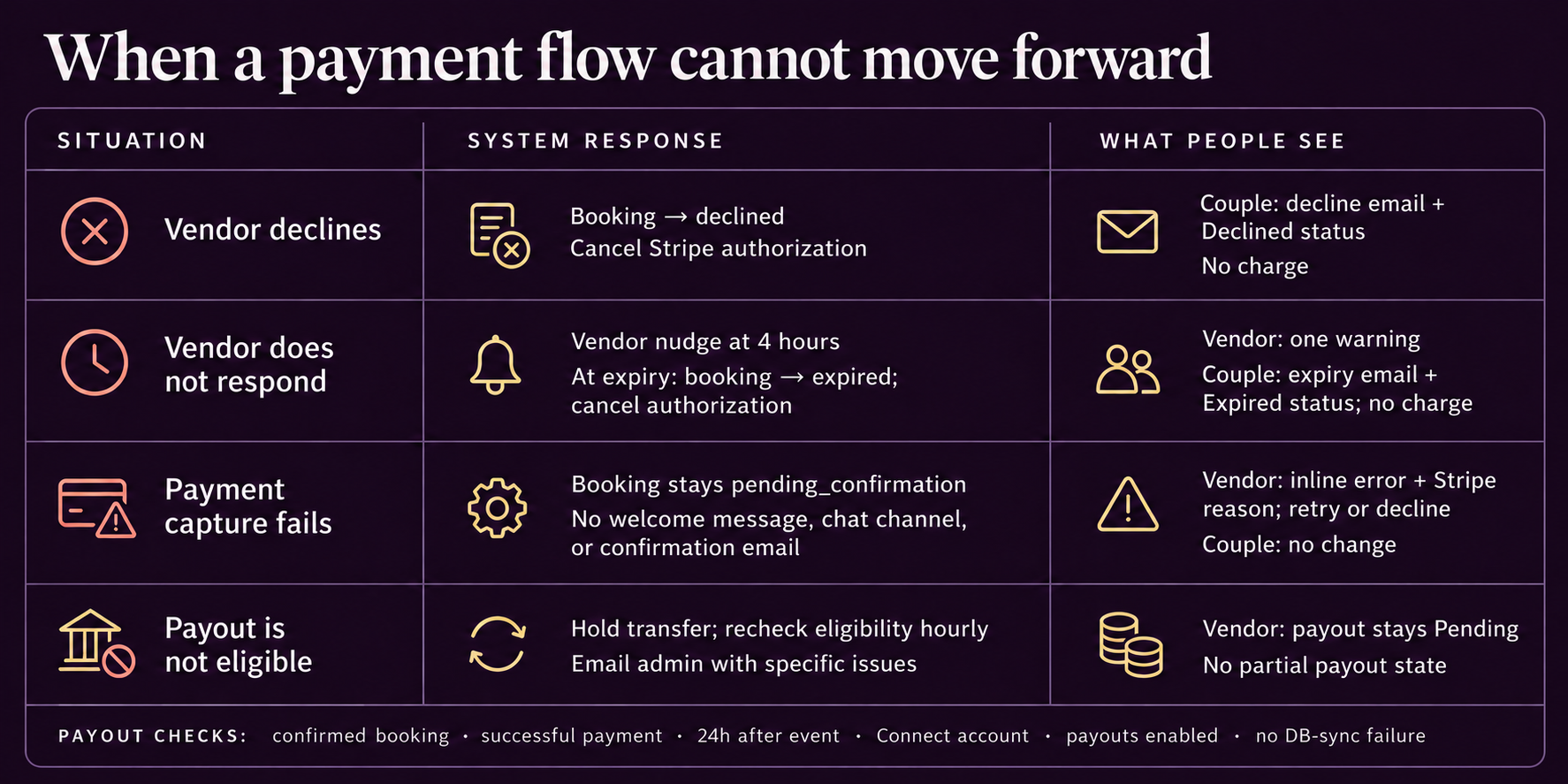
I worked through the cases where a request could stall or money could move at the wrong time: no vendor response, a declined request, failed capture, and a payout that was not eligible for release.
Pending bookings carry an expiration time. A scheduled job expires stale requests so a couple is not left indefinitely in payment limbo.
The payment authorization is canceled and the booking state communicates that the request did not become a confirmed booking.
The booking remains pending confirmation and the vendor sees an error. Payment operations also verify Stripe state before downstream actions such as payout.
The payout job checks booking eligibility and payment success before creating the transfer and marking funds released.
I designed and implemented the payment lifecycle as part of Plan Zinnia’s live marketplace, connecting checkout, vendor review, capture, and scheduled payout. The work included the UX, payment integration, booking state, and operational checks around those steps.
The platform is early in adoption. This case study describes the delivered workflow; it does not yet establish payment volume, conversion gains, or a reduction in support requests. Those outcomes need evidence as usage grows.
AI-assisted development accelerated implementation, but I remained responsible for the product model, UX decisions, integration behavior, testing, debugging, and evolution of the production system.
Designing the payment flow meant defining the behavior behind each screen: which action advances a booking, which payment result permits it, and what people see when it cannot proceed.